Giving Thanks (& Thanksgiving Art)

Posted by: • Date:

There is so much I have to be thankful for this year. Things/situations/blessings that are so significant that words expressing my gratefulness seem so inadequate or, worse, sound trite. While it has been an extremely traumatic year for myself and for my little family, we have made it through both individually and together. It is that bond, our love and support for each other through both good times and bad that makes bad things bearable and all else possible. Those relationships, freedom, and good health are the ONLY things that really matter to me and I’ve been blessed with most. In the words of Jim Steinman, sung by Meatloaf, “2 out of 3 ain’t bad”.

Free Icons of the Day

The following images are reduced size previews. Simply right-click (or control-click) on the preview to save a zipped file to your desktop that contains all images in each preview group (each image is 512px X 512px in .png format) or, in the case of the individual icons, do your clicking on each one you’d like to download.
Happy Thanksgiving!

ChicagoTurkey5

Chicago Turkey 2

Thanksgiving-Banner

Thanksgiving Banner - 1600px X 391px

Thanks-1-1600x1200 - Desktop Wallpaper

Desktop Wallpaper - 1600x1200 - Thanksgiving #1

Desktop Wallpaper - 1600x1200 - Thanksgiving #2

Desktop Wallpaper - 1600x1200 - Thanksgiving #2

Fox Spokane Pt 3 – Img Types

Posted by: • Date:

Most people who use a computer, whether it be a Mac or Windows platform, use it pretty much “as is”, never thinking twice about trying to customize the look of the icons or other graphical user interface elements that they stare at for hours every day. I could find no formal studies explaining this but would guess this situation is either due to a lack of creativity, lack of appreciation for aesthetics, or the presumption that it takes a computer-programming degree (or the average 8 year-old) to accomplish or a little of each. For the rest of us, sticking with our computer’s operating system and applications out-of-the box looks is anathema, no matter how elegant the original interface may be. (For an apt analogy, just imagine someone like Halle Berry (1, 2 ) or Isabella Rosselini (1,2, 3) while they are gorgeous creatures just as God made them, but if dressed in off-the-rack clothes from Sears, unkempt hair, and no make-up, would you recognize them if they passed you on the street ? Probably not.) It’s the “window dressing” we personally apply to ourselves, our homes, our workspaces, and our computers that creates a visual reflection of the essence of who we like to think we are. The result makes us feel comfortable, confident and can even inspire us.

“Modding” the look of your desktop is fairly easy these days. With a Mac, you don’t even need to have any special software or advanced knowledge to swap out an icon used for just about any folder, application or document. If you’re looking to change a large number of icons or want to alter the look of default icons for each time a new folder or document is created, CandyBar is the gold-standard, yet inexpensive, shareware solution that Mac users have turned to for years. For those of you working with Windows or Linux, I personally have no experience working with Windows or Linux, but have been told there are numerous shareware applications that can ease the way for you.

I thought of including a “How To” tutorial on my blog but came across so many great tutorials already out there, there really is no need for another. But if you check my “How To” page, you’ll find a list of links to the best of those tutorials and applications.

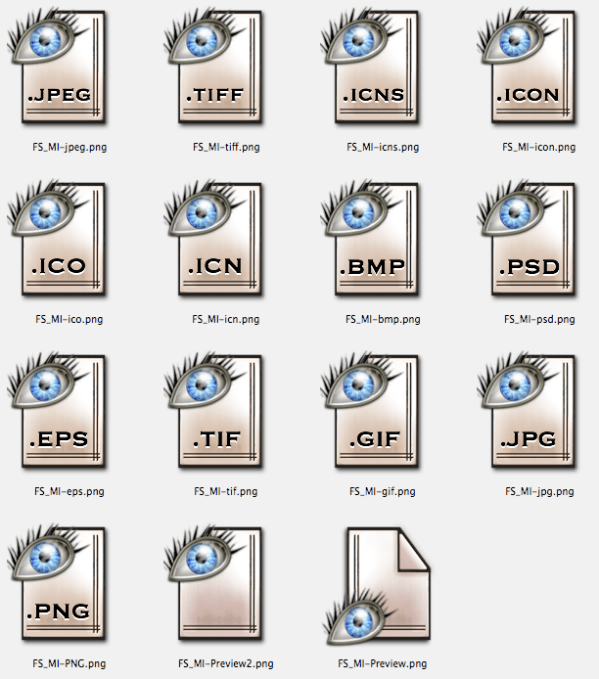
Tonight’s “freebie” offering was originally created as part of my “Fox Spokane” icon series (FS-1, FS-2) and is a set of images to use as replacements for various image document types which I personally use as the defaults for Apple’s “Preview” application. They can also be used with any other image viewer. Note: if you swap the icon of an individual document, it will only affect that particular document. If you want to alter the default icons so that all .png (or .jpg, or .gif, etc.) documents display the customized icon, you’ll need to access the default resource in the application’s package. See the tutorials on IconDoIt’s How To Page. Enjoy!

Free Icons of the Day

The following images are reduced size previews. Simply right-click (or control-click) on the preview to save a zipped file to your desktop that contains all images in each preview group (each image is 512px X 512px in .png format) or, in the case of the individual icons, do your clicking on each one you’d like to download.

Preview of Fox Spokane Series - Image Types Icons

A Comeuppance (& Twitter Birds)

Posted by: • Date:

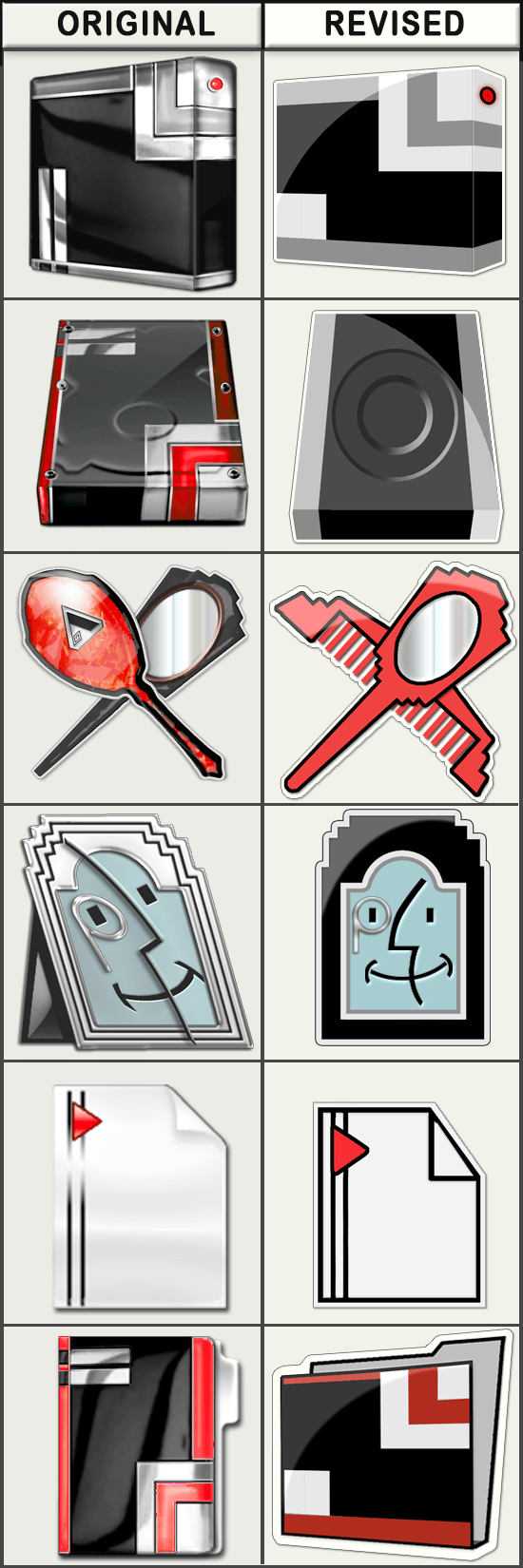
For those of you unfamiliar with MacThemes, it’s a wonderful resource not only for finding the cream of the crop of freeware and shareware icon, wallpaper, and skins, but also a great place to go for advice on how to create such interface elements and how to improve your designs. I’ve been a silent visitor to that site for several years and just last Friday, decided to go ahead and post an announcement there of the release of my Art Deco Series of icons and included a handful of examples. To put it mildly, my offering didn’t quite get the reaction I had either expected or hoped for and it really threw me for a loop at first. But after reflecting on all the comments (over 40 to a single posting, which is more than I’ve gotten to all the posts on this blog combined!) – I realized that I needn’t be so glum. For one thing, the controversy drew a number of visitors to my blog who had not been aware of it before. (Echos of the old smart-ass saying “There’s no such thing as bad publicity as long as they spell your name right”) But more importantly, a few of the latter comments actually offered some very specific, constructive criticism. As to the hints about technical execution, I am reminded that not all users have the same set-up as I (I’m working on a MacBookPro, OSX 4.11, 1920×1200 resolution with millions of colors on a matte-finished LCD screen and have all my Finder views set to 128×128 icons) – and so need to make sure that my icons look good at ALL sizes and all possible resolutions. Before I was forced to retire, I wouldn’t have thought twice about investing whatever was necessary to keep current with the tools of my trade but without any means for a return on that investment, I’d been reluctant to upgrade to the Leopard system which actually uses the 512×512 size as well as 32-bit graphics because I wasn’t sure I could justify the cost of having to likewise upgrade most of my software. This is something I need to reassess.

As to the comments that said my icons looked “dated”: The difficult part is trying to figure out how to meet the marketplace trends without having to give up my own personality in the process. I had always thought that the idea of third-parties creating icons for use as alternatives to the originals embedded in their operating system and applications was to give a choice for those who wanted something more distinctive. Yet if the perceived quality of those 3rd party icons is substantially based upon their compliance with this month’s committee-determined color palette and Apple’s or Microsoft’s chosen viewing perspective and lighting effects, then don’t we just end up with cookie-cutter icons that have barely perceptible differences from the original? And how does one fit within the confines of the latest trends even when trying to depict a specific historic period and style?

I’ve got a lot to mull over, research, experiment with, and hopefully will improve. I made a first stab at it over the weekend as you can see from the following side-by-side comparison. (Don’t bother trying to download this preview as there is no release at this time on the revised version as it’s just at the beginning stages – but if you’ve got any thoughts on these, preferences, constructive criticism, etc. I would love to hear from you in a reply to this post.)

Comparator

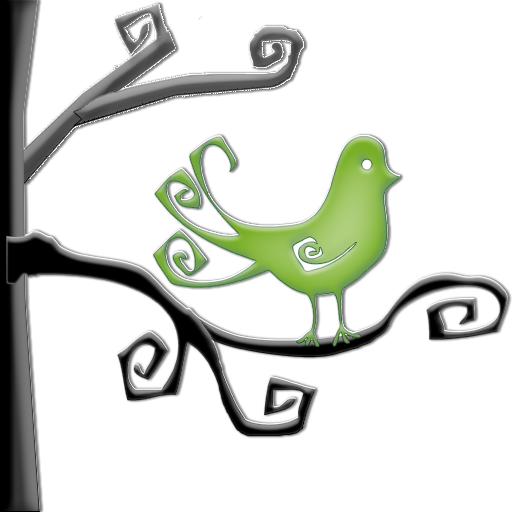
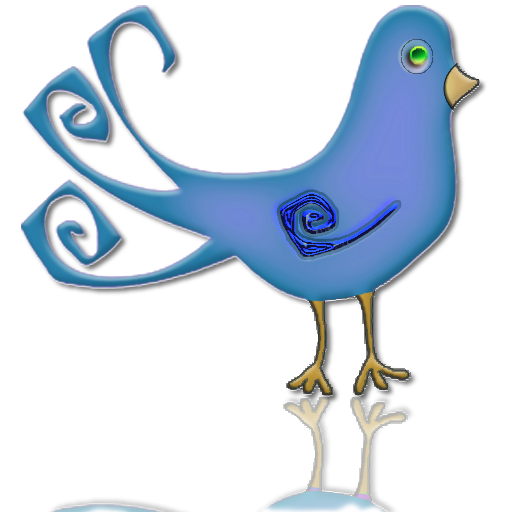
As for tonight’s offering of downloadable icons/clip-art, I’ve created the following half dozen specimens that can be used on your desktop for Twitter – or wherever else that might strike your fancy. Enjoy!

Free Clip-Art / Icons of the Day

The following images are either full or reduced size previews. Simply right-click (or control-click) on the preview to save the image(s) of your choice to your desktop. (Unless otherwise noted, downloads are 512px X 512px in .png format). As always, usage of any of the images offered in the “Free Clip-Art / Icons of the Day” section are free for your personal use, subject to the limitations of my Creative Commons Non-Commercial – Attribution – No Derivatives – Share Alike- 3.0 license. (See sidebar for Terms of Use) For commercial or any other use, please contact me for directly.

Bird-in-Tree-5Bird-in-Tree-3

Bird-in-Tree-11Bird-3

Bird-in-Tree-10Bird-in-Tree-7