So Many Choices!

Posted by: • Date:

When it comes to the important decisions in life, I’ve never had a problem in choosing which way to go and while the results are not always what I had hoped for, I’ve never doubted nor felt regret. It seems easy to do because I know who I am, what I want to be remembered for, and what I need to do to achieve that. But when it comes to making a selection off a restaurant menu or choosing between the blue folder icon or the red, I can take forever to make up my mind! Go figure. Anyways, this is my way to explain why I’ve posted multiple versions of icons designed for essentially the same purpose. If you’re as fickle as I on such trifles, you can mix & match your toolbar, device, folder and applications every few days while still sticking with the same general theme. Or not. And if Art Deco just isn’t your thing, stay tuned as I’ve much more up my sleeve.

Free Icons of the Day

The following images are either full or reduced size previews. Simply right-click (or control-click) on the preview to save the image(s) of your choice to your desktop. (Unless otherwise noted, downloads are 512px X 512px in .png format). As always, usage of any of the images offered in the “Free Clip-Art / Icons of the Day” section are free for your personal use, subject to the limitations of my Creative Commons Non-Commercial – Attribution – No Derivatives – Share Alike- 3.0 license. (See sidebar for Terms of Use) For commercial or any other use, please contact me for directly.

Deco_Users or Workgroup-04

Deco_UsrsORwkgp-06

Deco_GL-OSX-FldrDeco_OSfldr-Leopard

Deco_DO-TrashDeco_DO-TrashFull

Art Deco: Icons – or – Clip Art?

Posted by: • Date:

An interesting comment was posted on the forums at MacTHEMES in response to a few previews I had posted of my Art Deco Series when I began noodling with it in 2007. While indicating that he liked my concept, the Poster felt that the execution was more conducive to Clip Art than Icons. I appreciated his comments and must say that when viewing my art at say 48×48 or smaller sizes, that I can certainly see his point. Guess I’m rather spoiled in working on a Mac PowerBook 17 with a resolution of 1920×1200, thus having the real estate to keep my icons at their full OSX 10.4+ size of 128×128 pixels so I can enjoy them and without them being intrusive. I suppose that’s the benefit of being “retired” and no longer having to create work that is acceptable to the general mass market to feed my family. 😉 At the same time, just because I’ve referred to my creations as “icons” doesn’t prevent you creative folks out there from using them as you might if they were advertised as “Clip Art”.

What’s your view? I’m curious to know:

  1. How many of you look upon icons purely as a functional interface element vs. as functional AND “eye-candy”?
  2. What size do you keep icons at on your desktop?
  3. Do you ever set a custom icon on a folder to serve no purpose other than to just enjoy looking at it?
  4. Do your preferences change if working on a Mac vs. Windows?

Free Clip-Art / Icons of the Day

The following images are either full or reduced size previews. Simply right-click (or control-click) on the preview to save the image(s) of your choice to your desktop. (Unless otherwise noted, downloads are 512px X 512px in .png format). As always, usage of any of the images offered in the “Free Clip-Art / Icons of the Day” section are free for your personal use, subject to the limitations of my Creative Commons Non-Commercial – Attribution – No Derivatives – Share Alike- 3.0 license. (See sidebar for Terms of Use) For commercial or any other use, please contact me for directly.

maltese_falconmirror

AuburnSpeedster2

Deco_Network-UPDeco_Network-down1

maltese_falcon-mirror

Deco_Alias-GiantDeco_DownArrow-11

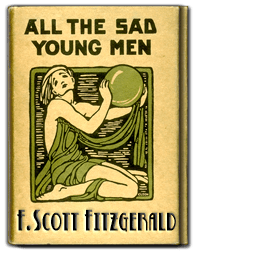
My Adaptation of cover on F. Scott Fitzgerald’s “ALL THE SAD YOUNG MEN” (original on right):

Swell-URLs-512ORIGINAL-fitzgerald

Versatility of Man-Made Materials in Art Deco

Posted by: • Date:

A big part of what drove Art Deco was the plethora of new Industrial materials such as aluminum, bakelite and plastics, which found themselves in favor for such non-industrial applications as dishes, hair brushes, clocks, and even ladies’ evening purses. These new materials were extremely durable, easy to work with and form into exotic shapes and lead to new discoveries for working with pigments as the plastics in particular could take on strong, vibrant colors that did not easily fade.

Free Icons of the Day

The following images are either full or reduced size previews. Simply right-click (or control-click) on the preview to save the image(s) of your choice to your desktop. (Unless otherwise noted, downloads are 512px X 512px in .png format). As always, usage of any of the images offered in the “Free Clip-Art / Icons of the Day” section are free for your personal use, subject to the limitations of my Creative Commons Non-Commercial – Attribution – No Derivatives – Share Alike- 3.0 license. (See sidebar for Terms of Use) For commercial or any other use, please contact me for directly.

Deco_Net-Server-OffDeco_Net-Server - On

Deco_iDisk-114Deco_UsersFldr-7

Deco_GenericDocDeco_Document-02

Deco_GenericDoc-Text