‘Nuevo Deco’ Debuts! A Retro-Futuristic Redesign of Art Deco Icon Series

Posted by: • Date:

For those of you who have followed the controversy over the posting of my Art Deco Series at MacThemes, ‘Nuevo Deco’, the new icon/clip-art series I’m launching tonight is my response to those who felt my original series looked “dated. Those of you who “got it” (the point of the so-called dated look) will get their turn, too, when I complete the technical clean-up over the next few weeks. While it is impossible to please all, I do hope most of you enjoy these new images as much as I enjoyed the challenge of creating them. The feedback from the MacThemers, all in all, was extremely helpful to me and inspired me to stretch a little more out of my comfort zone.

To those who have already downloaded files from my blog, you probably noticed that all the “icon” images are formatted as 512px X 512px .pngs – only. I have NOT included any other size or other formats. As a “freebie”, that’s all there is. You can create your own thumbnails, .icn, or .ico images from these yourself (see the “How-To” page). But for anyone who really is looking for a complete set of icons of all sizes and formats, please contact me off-line to discuss what your needs and purposes are and my fees for that type of service.

‘Nuevo Deco’ is a whopping 10-part Series!

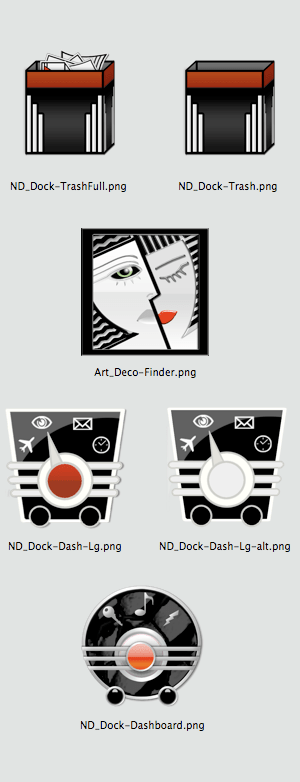
Tonight’s offering is the smallest group: images which are destined for the “Dock”, including an Empty Trash Can, Full Trash Can, Finder, and 3 different versions of an image to use for the ‘Dashboard’ application. If you’re working on a Windows or Linux platform, I’m sure you can find some alternative uses for these. I’d love to hear back from y’all. Enjoy! (BTW, I’d love to hear back from y’all. You can leave your comments by clicking on the COMMENT or REPLY buttons at the end of each post.)

Free Icons of the Day

The following images are reduced size previews. Simply right-click (or control-click) on the preview to save a zipped file to your desktop that contains all images in each preview group (each image is 512px X 512px in .png format) or, in the case of the individual icons, do your clicking on each one you’d like to download. As always, usage of any of the images offered on this blog are free for your personal use while subject to the limitations of my Creative Commons Non-Commercial – Attribution – No Derivatives – Share Alike- 3.0 license. (See sidebar for details)

Giving Thanks (& Thanksgiving Art)

Posted by: • Date:

There is so much I have to be thankful for this year. Things/situations/blessings that are so significant that words expressing my gratefulness seem so inadequate or, worse, sound trite. While it has been an extremely traumatic year for myself and for my little family, we have made it through both individually and together. It is that bond, our love and support for each other through both good times and bad that makes bad things bearable and all else possible. Those relationships, freedom, and good health are the ONLY things that really matter to me and I’ve been blessed with most. In the words of Jim Steinman, sung by Meatloaf, “2 out of 3 ain’t bad”.

Free Icons of the Day

The following images are reduced size previews. Simply right-click (or control-click) on the preview to save a zipped file to your desktop that contains all images in each preview group (each image is 512px X 512px in .png format) or, in the case of the individual icons, do your clicking on each one you’d like to download.

Happy Thanksgiving!

ChicagoTurkey5

Chicago Turkey 2

Thanksgiving-Banner

Thanksgiving Banner - 1600px X 391px

Thanks-1-1600x1200 - Desktop Wallpaper

Desktop Wallpaper - 1600x1200 - Thanksgiving #1

Desktop Wallpaper - 1600x1200 - Thanksgiving #2

Desktop Wallpaper - 1600x1200 - Thanksgiving #2

Fox Spokane Pt 3 – Img Types

Posted by: • Date:

Most people who use a computer, whether it be a Mac or Windows platform, use it pretty much “as is”, never thinking twice about trying to customize the look of the icons or other graphical user interface elements that they stare at for hours every day. I could find no formal studies explaining this but would guess this situation is either due to a lack of creativity, lack of appreciation for aesthetics, or the presumption that it takes a computer-programming degree (or the average 8 year-old) to accomplish or a little of each. For the rest of us, sticking with our computer’s operating system and applications out-of-the box looks is anathema, no matter how elegant the original interface may be. (For an apt analogy, just imagine someone like Halle Berry (1, 2 ) or Isabella Rosselini (1,2, 3) while they are gorgeous creatures just as God made them, but if dressed in off-the-rack clothes from Sears, unkempt hair, and no make-up, would you recognize them if they passed you on the street ? Probably not.) It’s the “window dressing” we personally apply to ourselves, our homes, our workspaces, and our computers that creates a visual reflection of the essence of who we like to think we are. The result makes us feel comfortable, confident and can even inspire us.

“Modding” the look of your desktop is fairly easy these days. With a Mac, you don’t even need to have any special software or advanced knowledge to swap out an icon used for just about any folder, application or document. If you’re looking to change a large number of icons or want to alter the look of default icons for each time a new folder or document is created, CandyBar is the gold-standard, yet inexpensive, shareware solution that Mac users have turned to for years. For those of you working with Windows or Linux, I personally have no experience working with Windows or Linux, but have been told there are numerous shareware applications that can ease the way for you.

I thought of including a “How To” tutorial on my blog but came across so many great tutorials already out there, there really is no need for another. But if you check my “How To” page, you’ll find a list of links to the best of those tutorials and applications.

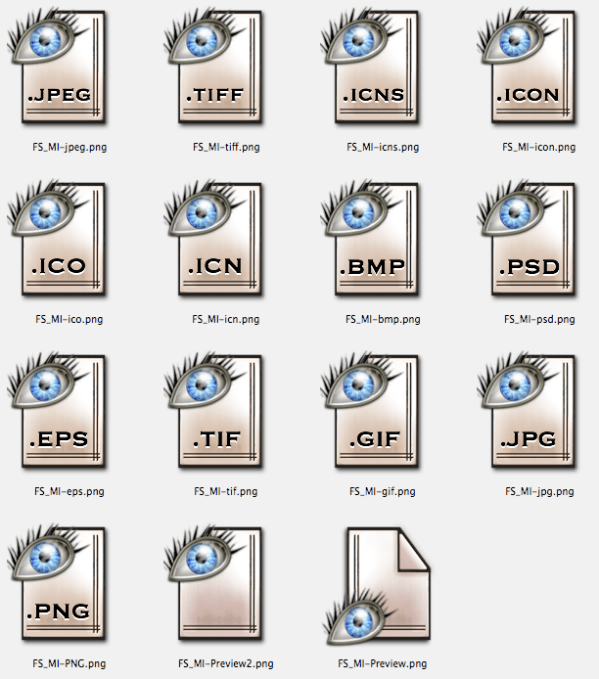
Tonight’s “freebie” offering was originally created as part of my “Fox Spokane” icon series (FS-1, FS-2) and is a set of images to use as replacements for various image document types which I personally use as the defaults for Apple’s “Preview” application. They can also be used with any other image viewer. Note: if you swap the icon of an individual document, it will only affect that particular document. If you want to alter the default icons so that all .png (or .jpg, or .gif, etc.) documents display the customized icon, you’ll need to access the default resource in the application’s package. See the tutorials on IconDoIt’s How To Page. Enjoy!

Free Icons of the Day

The following images are reduced size previews. Simply right-click (or control-click) on the preview to save a zipped file to your desktop that contains all images in each preview group (each image is 512px X 512px in .png format) or, in the case of the individual icons, do your clicking on each one you’d like to download.

Preview of Fox Spokane Series - Image Types Icons